Main Page: Difference between revisions
Jump to navigation
Jump to search
TeamSpecBot (talk | contribs) Movement and Buildings tiles |
TeamSpecBot (talk | contribs) Banner colors and title font |
||
| Line 1: | Line 1: | ||
__NOTOC__ __NOEDITSECTION__ | __NOTOC__ __NOEDITSECTION__ | ||
<div style="padding:1.5em 1.5em 1.25em;margin-bottom:1em;border-radius:6px;background:linear-gradient(135deg,var(--ts-brand- | <div style="padding:1.5em 1.5em 1.25em;margin-bottom:1em;border-radius:6px;background:linear-gradient(135deg,var(--ts-brand-green,#249a45),var(--ts-brand-red,#d2303f),var(--ts-brand-blue,#3d78e0));color:#fff;text-align:center;box-shadow:0 4px 12px rgba(0,0,0,0.25);text-shadow:-1px -1px 0 #000,1px -1px 0 #000,-1px 1px 0 #000,1px 1px 0 #000,0 -1px 0 #000,0 1px 0 #000,-1px 0 0 #000,1px 0 0 #000;"> | ||
<div style="font-size:2em;font-weight:600;">Welcome to the TeamSpec Wiki</div> | <div style="font-family:var(--ts-font-display,'Tomorrow',system-ui,sans-serif);font-size:2em;font-weight:600;text-shadow:-2px -2px 0 #000,2px -2px 0 #000,-2px 2px 0 #000,2px 2px 0 #000,0 -2px 0 #000,0 2px 0 #000,-2px 0 0 #000,2px 0 0 #000;">Welcome to the TeamSpec Wiki</div> | ||
<div style="margin:0.3em auto 0.9em;max-width:40em;">Build your own class, win the objective, make your own maps. The community guide to TeamSpec, [[Special:Statistics|<span style="color:#fff;text-decoration:underline;">{{NUMBEROFARTICLES}} articles</span>]] and growing.</div> | <div style="margin:0.3em auto 0.9em;max-width:40em;">Build your own class, win the objective, make your own maps. The community guide to TeamSpec, [[Special:Statistics|<span style="color:#fff;text-decoration:underline;">{{NUMBEROFARTICLES}} articles</span>]] and growing.</div> | ||
<div style="display:flex;flex-wrap:wrap;gap:0.8em 1.2em;justify-content:center;align-items:center;">{{Get the game}} [[New player guide|<span style="color:#fff;text-decoration:underline;">New here? Start with the guide</span>]]</div> | <div style="display:flex;flex-wrap:wrap;gap:0.8em 1.2em;justify-content:center;align-items:center;">{{Get the game}} [[New player guide|<span style="color:#fff;text-decoration:underline;">New here? Start with the guide</span>]]</div> | ||
| Line 22: | Line 22: | ||
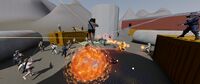
{{Category card|title=Maps|image=TeamSpec gameplay.jpg|text=Layouts, routes and callouts.}} | {{Category card|title=Maps|image=TeamSpec gameplay.jpg|text=Layouts, routes and callouts.}} | ||
{{Category card|title=Game modes|image=Payload cart.png|text=How each mode is won.}} | {{Category card|title=Game modes|image=Payload cart.png|text=How each mode is won.}} | ||
{{Category card|title=Movement|image= | {{Category card|title=Movement|image=Pickup health large.png|text=Momentum, jumps, slides and wall kicks.}} | ||
{{Category card|title= | {{Category card|title=Sentry|image=Building Sentry level 3.png|text=Buildings you can put down.}} | ||
{{Category card|title=Sar'Thuun|image=Sar'Thuun.png|text=The boss that guards a base.}} | {{Category card|title=Sar'Thuun|image=Sar'Thuun.png|text=The boss that guards a base.}} | ||
{{Category card|title=Updates|image=TeamSpec emblem.svg|text=Patch notes, newest first.}} | {{Category card|title=Updates|image=TeamSpec emblem.svg|text=Patch notes, newest first.}} | ||
Revision as of 01:49, 21 October 2026
Welcome to the TeamSpec Wiki
Build your own class, win the objective, make your own maps. The community guide to TeamSpec, 206 articles and growing.
Page of the day

Pet Rock
A weapon for the accessory slot.
A weapon for the accessory slot.
Did you know...
...the Flamethrower can counter the effects of the Thermal Void when used on an ally?
Explore

Help the wiki: How to edit · Pages people are looking for · Recent changes · Glossary · Controls · Settings