Main Page
Jump to navigation
Jump to search
Welcome to the TeamSpec Wiki
Build your own class, win the objective, make your own maps. The community guide to TeamSpec, 223 articles and growing.
Page of the day
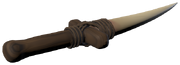
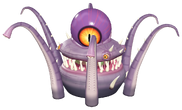
Sar'thuun's Fang
A melee stab that deals five times its damage in an enemy's back.
A melee stab that deals five times its damage in an enemy's back.
Did you know...
...speed you build up is kept in the air? See Movement for chaining jumps, slides and wall kicks.
Make your own class
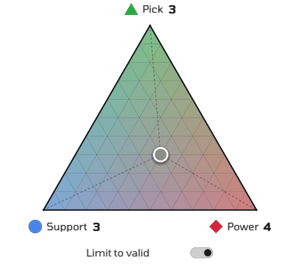
There are no fixed classes in TeamSpec. Every class shares 10 spec points between three specs, set by dragging one handle around the spec triangle, and carries four items of your choice. Each item has a cost in spec points, so what you carry shapes the player you are.
 Pick: running speed. 5 m/s with no points, up to 10 m/s with all ten.
 Power: maximum health. 150 with no points, up to 400 with all ten.
 Support: regeneration, 2.5 health a second per point once you stop taking damage.
Start with one of the preset builds or make your own: see Classes and Loadouts.
Explore







Maps and game modes
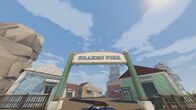
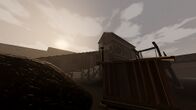
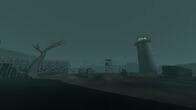
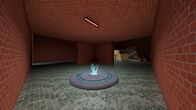
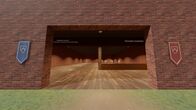
Every map at a glance: Maps. How each mode is won, and how every match ends: Game modes. Community maps: Steam Workshop.
Play together
- Quickplay: finds a server for you on the maps you pick.
- Server browser: find a game to join, on the internet, your LAN or a friend's.
- Hosting a game: run a server of your own on any map, Workshop maps included.
- Parties: keep up to six friends together across matches.
- Voice chat and chat: talk to your team, or everyone.
- Inventory and Trading: see every cosmetic you own, and trade them through Steam.
News and community
- Patch notes: what changed in each update.
- Devlog: how TeamSpec is made.
- Discord: where playtests are announced.
- TeamSpec website: screenshots, videos and more.
- Steam Workshop: maps made by players.
- Make a map: start building in the level editor.
Help the wiki: How to edit · Pages people are looking for · Recent changes · Glossary · Controls · Settings